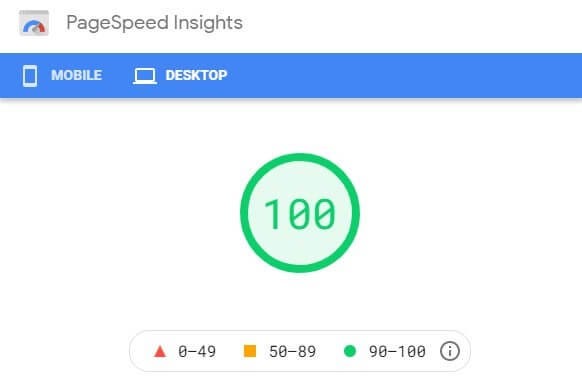
Achieving a perfect 100/100 score in Google PageSpeed Insights is the goal for many website owners, marketers, and developers. While it’s difficult to reach that score with a traditional dynamic WordPress setup, static WordPress sites make it far more achievable—and in many cases, repeatable.
By removing server-side processing and delivering pre-built files from a global CDN, static WordPress sites provide the ideal foundation for elite performance. In this guide, you’ll learn exactly how a static WordPress site helps you reach a 100/100 PageSpeed score and what optimizations are still required to get there.
Understanding PageSpeed Insights Scores
Google PageSpeed Insights measures performance using Lighthouse, combining lab data and real-world signals. Scores are based on metrics such as:
- Largest Contentful Paint (LCP)
- Interaction to Next Paint (INP)
- Cumulative Layout Shift (CLS)
- Speed Index
- Total Blocking Time (TBT)
A 100/100 score means your site meets or exceeds Google’s recommended thresholds across all categories.
Why Static WordPress Sites Are Ideal for PageSpeed
Traditional WordPress sites struggle with performance due to:
- PHP execution delays
- Database queries
- Server response time variability
- Plugin overhead
Static WordPress eliminates these issues entirely.
Key Advantages
- Near-zero Time to First Byte (TTFB)
- Pre-rendered HTML served instantly
- CDN-based global delivery
- Reduced JavaScript execution
This creates the perfect baseline for performance tuning.
Step 1: Convert WordPress into a Static Site
Before optimizing, your WordPress site must be fully static.
Recommended Approaches
- Static site plugins (e.g., Simply Static, WP2Static)
- Headless WordPress with static site generation
Your output should be clean HTML, CSS, and JavaScript files—no PHP or database dependencies.
Step 2: Use a High-Performance Static Hosting Platform
Hosting is critical for PageSpeed success.
Ideal Static Hosting Features
- Global CDN
- HTTP/2 or HTTP/3 support
- Automatic HTTPS
- Aggressive caching
Popular choices include:
- Cloudflare Pages
- Netlify
- Vercel
These platforms consistently deliver top-tier performance scores.
Step 3: Optimize Largest Contentful Paint (LCP)
LCP is the most influential metric for PageSpeed.
Best Practices for Static WordPress
Optimize Images
- Use modern formats (WebP or AVIF)
- Compress aggressively without quality loss
- Set explicit width and height
Preload the LCP Asset
- Preload the hero image or main heading font
- Avoid lazy-loading the LCP element
Reduce Render-Blocking Resources
- Inline critical CSS
- Defer non-critical styles and scripts
Static sites make these optimizations easier and more predictable.
Step 4: Eliminate Layout Shifts (CLS)
Unexpected layout shifts are common on dynamic WordPress sites—but rare on static ones when configured properly.
CLS Optimization Tips
- Always define image and iframe dimensions
- Avoid late-loading fonts
- Use
font-display: swap - Minimize third-party embeds
A well-built static site often achieves a CLS score of 0.00.
Step 5: Minimize JavaScript for Perfect INP and TBT
JavaScript execution is the most common reason static sites fail to hit 100/100.
JavaScript Best Practices
- Remove unused scripts and libraries
- Avoid heavy frontend frameworks
- Defer or async all non-critical JS
- Replace plugins with CSS or native HTML when possible
Static WordPress sites shine here because they rarely require complex interactivity.
Step 6: Optimize Fonts and Text Rendering
Fonts can quietly sabotage PageSpeed scores.
Font Optimization Checklist
- Use system fonts when possible
- Limit font families and weights
- Host fonts locally
- Preload critical font files
- Enable
font-display: swap
Proper font handling dramatically improves both LCP and Speed Index.
Step 7: Enable Compression and Modern Protocols
Most static hosting providers enable these by default, but confirm:
- Brotli compression
- Gzip fallback
- HTTP/2 or HTTP/3
- Long cache headers for static assets
These features reduce payload size and speed up delivery.
Step 8: Remove Third-Party Performance Killers
Even static sites can fail PageSpeed due to external scripts.
Common offenders include:
- Ad networks
- Excessive analytics tools
- Social media embeds
- Chat widgets
If a script doesn’t directly support your business goals, remove it.
Step 9: Test, Iterate, and Validate
Use multiple tools to validate performance:
- Google PageSpeed Insights
- Lighthouse (Chrome DevTools)
- WebPageTest
- Search Console Core Web Vitals report
Test both mobile and desktop. Mobile performance is usually the hardest—and the most important.
Realistic Expectations: 100/100 vs Real-World UX
While a 100/100 score is achievable with static WordPress, remember:
- Real user experience matters more than lab scores
- Slight variations can occur across regions and devices
- Consistency is more important than perfection
Static sites provide stability and predictability—key factors in long-term performance success.
Common Mistakes That Prevent a 100/100 Score
- Lazy-loading the LCP image
- Overusing JavaScript animations
- Large background images
- Too many web fonts
- Ignoring mobile performance
Avoiding these pitfalls makes a perfect score far easier.
Getting a 100/100 PageSpeed score is exceptionally difficult with traditional WordPress—but entirely achievable with a static WordPress site.
By combining static site generation, modern hosting, lean frontend design, and disciplined optimization, you create a site that not only scores perfectly but also delivers an outstanding user experience.
Static WordPress isn’t just about speed—it’s about consistency, scalability, and future-proof performance.
If you’re serious about PageSpeed, static is the fastest path to perfection.